
BUILT AROUND YOUR RESTAURANT

A calmer counter.
A clearer kitchen.
A better service.

From a guest’s first scan to the day’s final cash review, bring your menu, orders, kitchen and billing into one connected workspace.

Browser-based · Dine-in, takeaway & delivery entry

Illustrated café owner welcoming guests in a warm neighbourhood restaurant
Made for the rhythm of service
YOUR NEXT ORDER, CONNECTED
Menu→POS→Kitchen→Bill

Less chasing. More context at every handover.

Menu & choices✳QR ordering✳Kitchen workflows✳Billing & cash
FOLLOW ONE SERVICE

One order.
A team on the same page.

Explore the handovers that make a restaurant work. Each step connects to a practical guide and a working product screen.

BEFORE THE FIRST ORDER

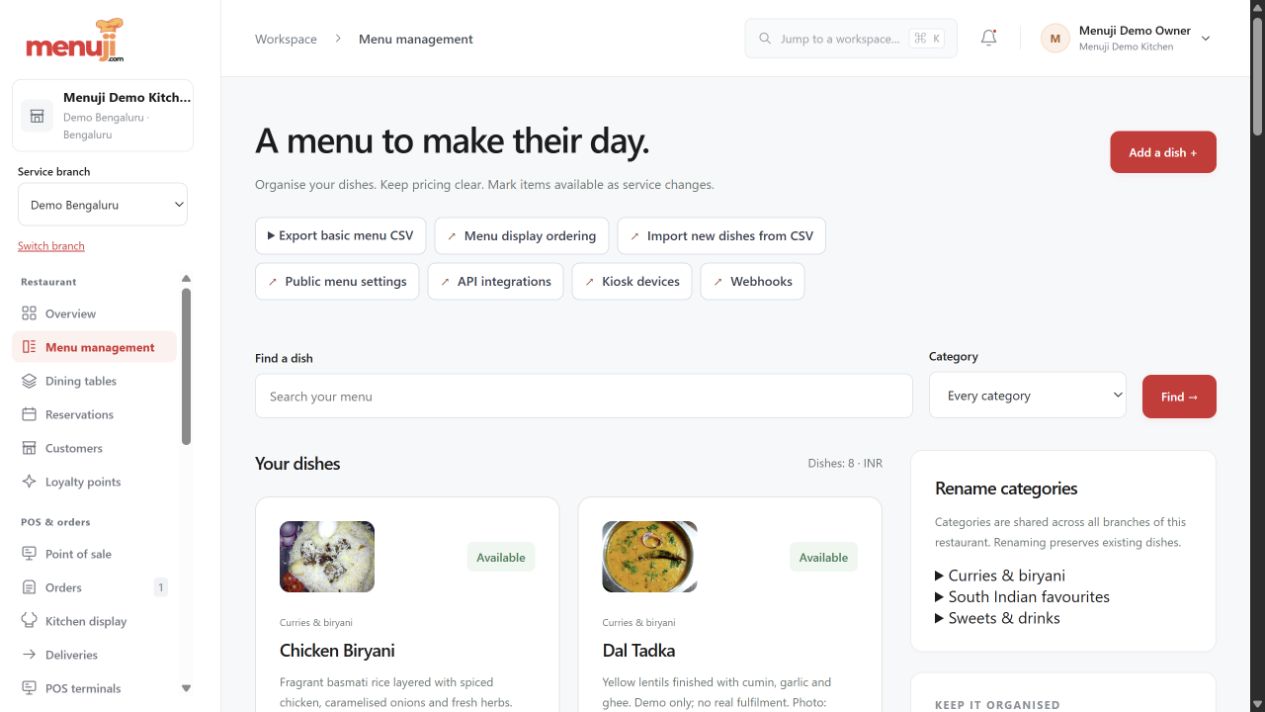
A menu ready for real choices.

Group dishes, add photos, configure choices and review prices before publishing. Pause unavailable items without rebuilding the menu.

  • Categories, prices & dietary labels
  • Menu choices and branch-aware review
  • Public menu & customer ordering
Open the practical guide ↗
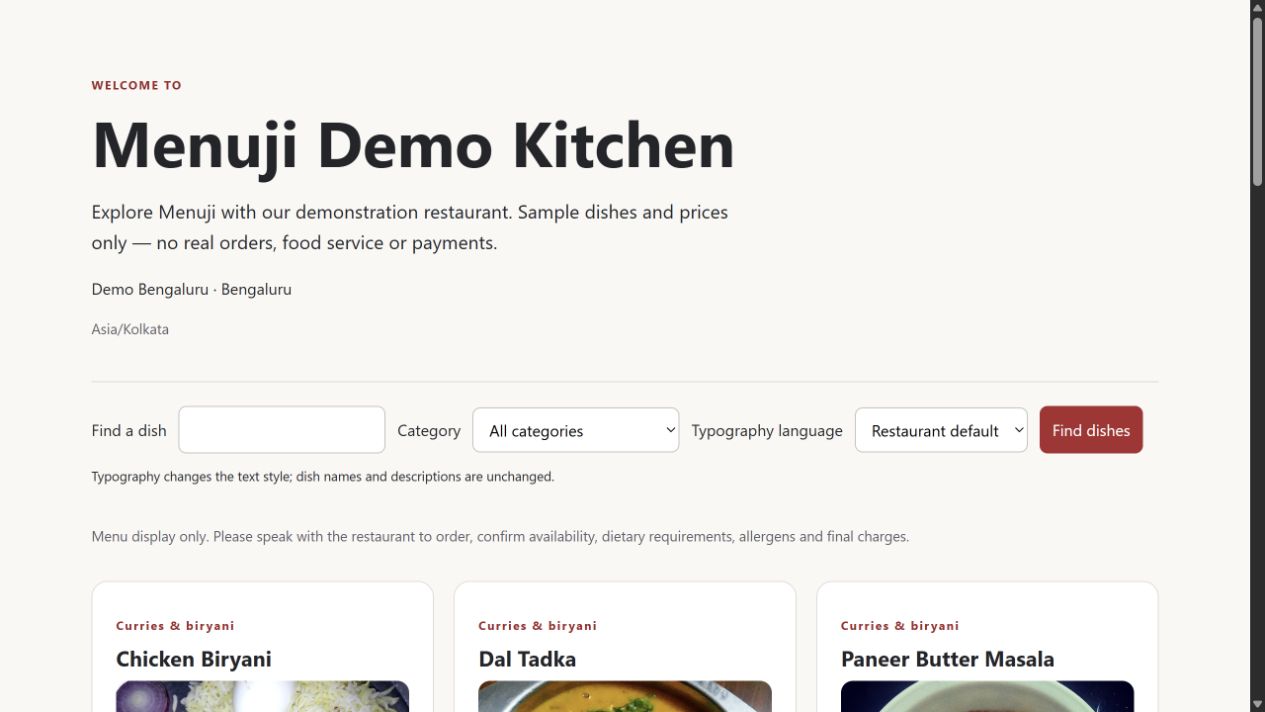
A menu ready for real choices.
A menu ready for real choices. · Actual local interface, fictional demo data · Select to enlarge
AT THE COUNTER OR THE TABLE

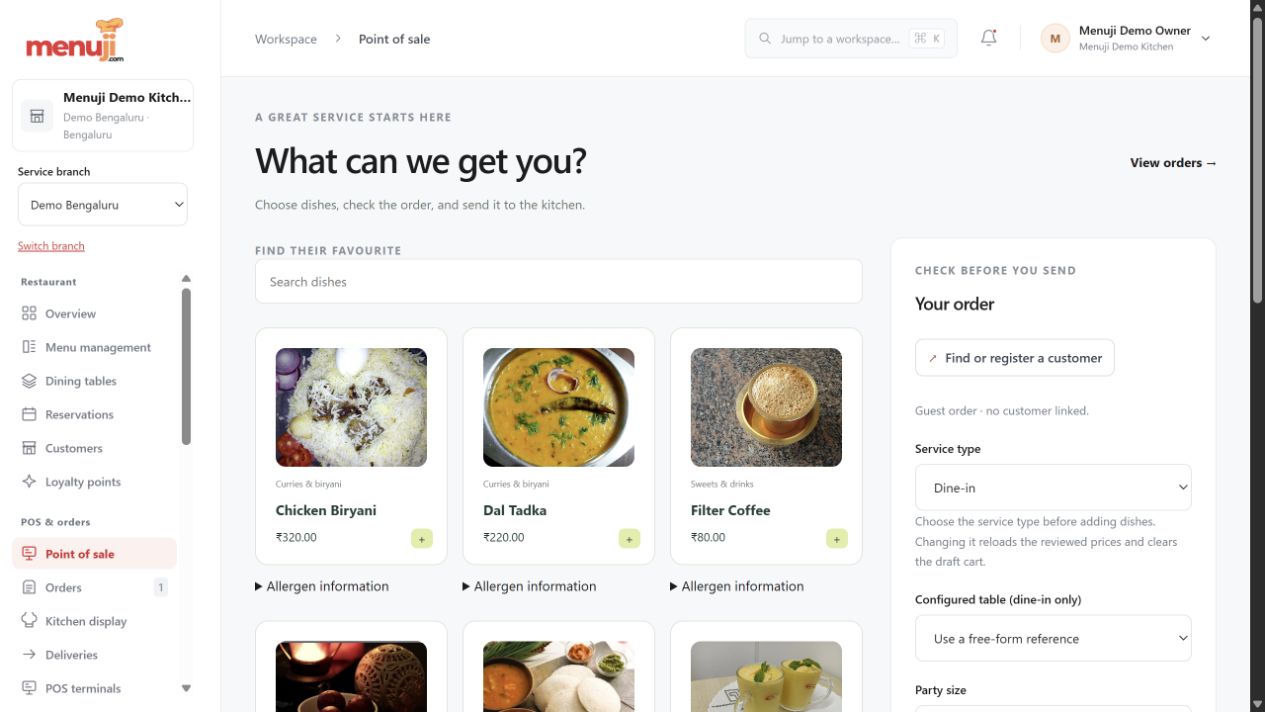
Keep the order and its context together.

Enter dine-in, takeaway or delivery orders with quantities and notes. Review prices and supported discounts before the order is recorded.

  • Table and service references
  • Reviewed totals before submission
  • Order history and controlled amendments
Open the practical guide ↗
Keep the order and its context together.
Keep the order and its context together. · Actual local interface, fictional demo data · Select to enlarge
FROM PREPARATION TO HANDOVER

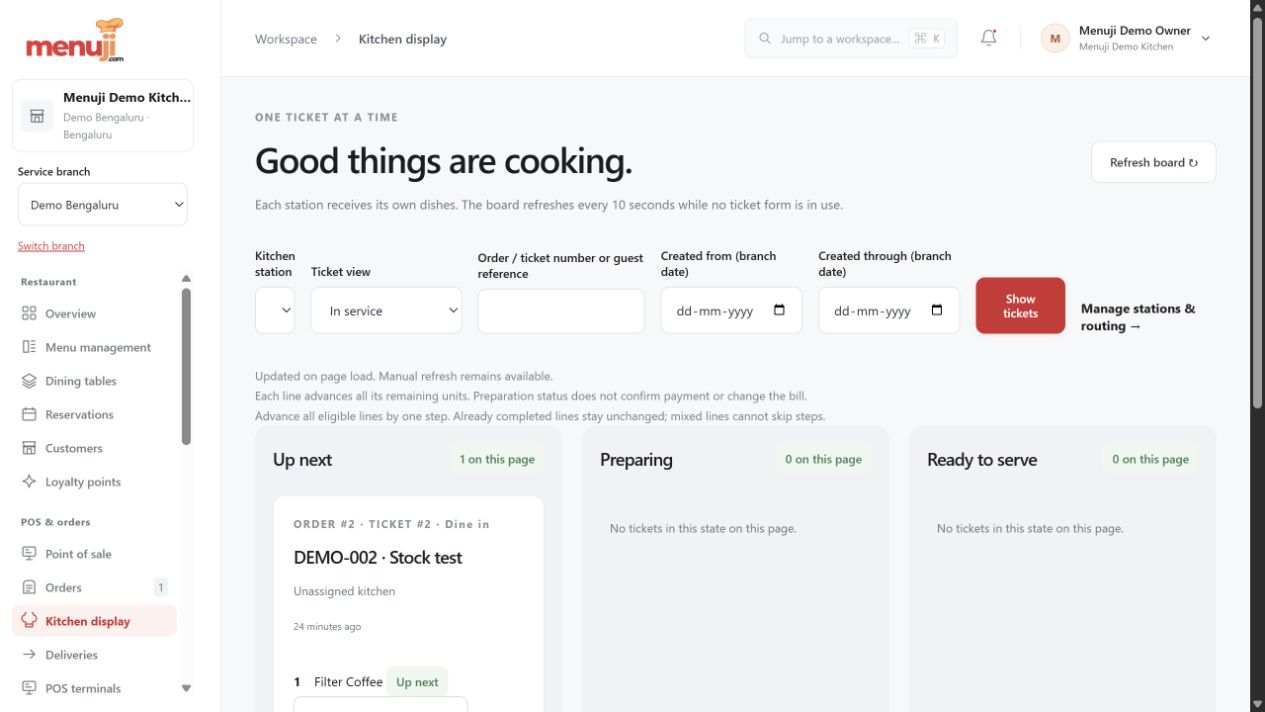
Make the next kitchen step visible.

Give the kitchen dishes, quantities and preparation notes in a working queue. Move orders through the configured preparation and handover statuses.

  • Clear preparation queues
  • Recorded service status changes
  • Station and print extensions by setup
Open the practical guide ↗
Make the next kitchen step visible.
Make the next kitchen step visible. · Actual local interface, fictional demo data · Select to enlarge
AFTER THE FOOD, FOLLOW THE MONEY

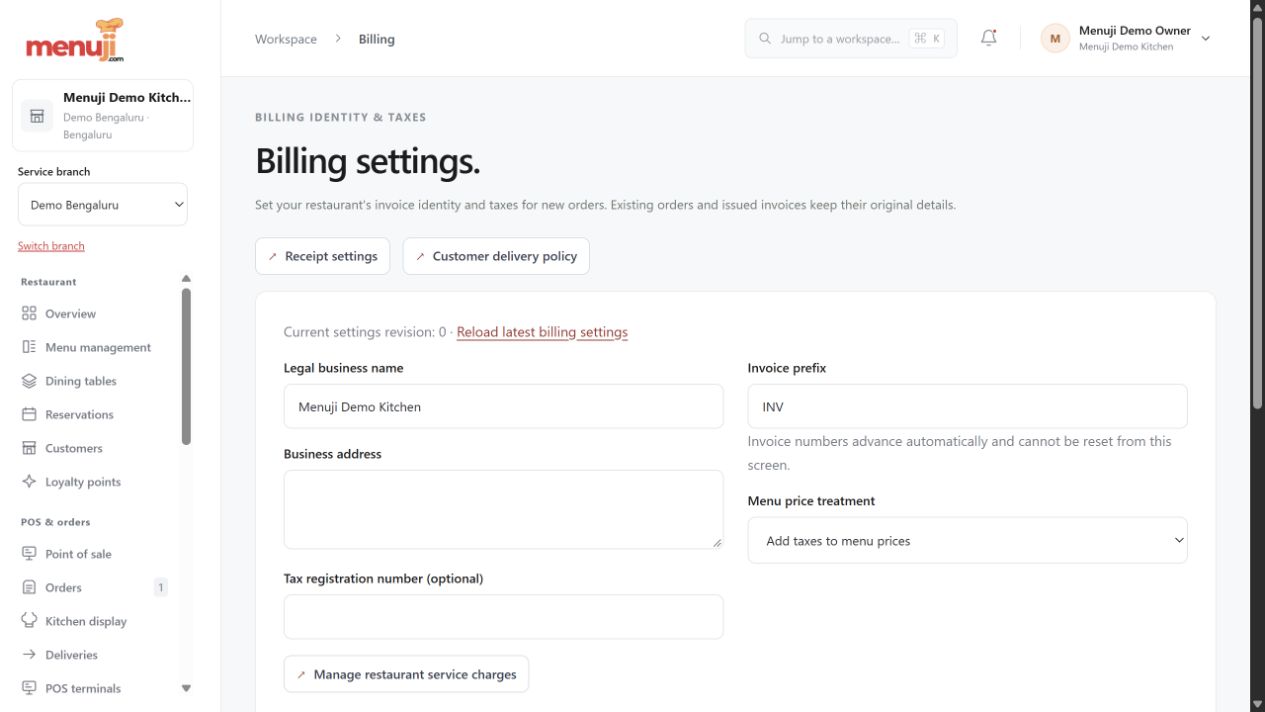
A bill, a payment and a record.

Use configured invoice details, restaurant payment settings and staff cash workflows. Manual QR receipts need a staff check against the bank record.

  • Tax and service-charge settings
  • Restaurant-owned Razorpay configuration
  • Cash records and browser invoices
Open the practical guide ↗
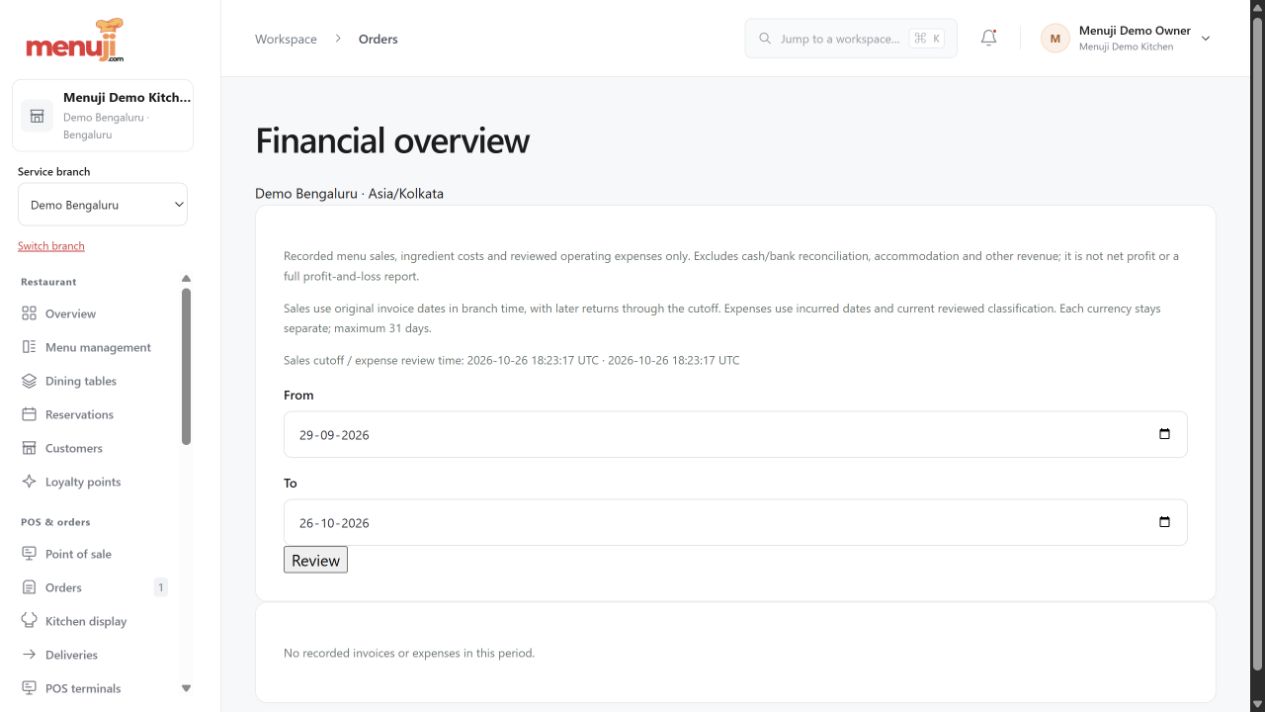
A bill, a payment and a record.
A bill, a payment and a record. · Actual local interface, fictional demo data · Select to enlarge
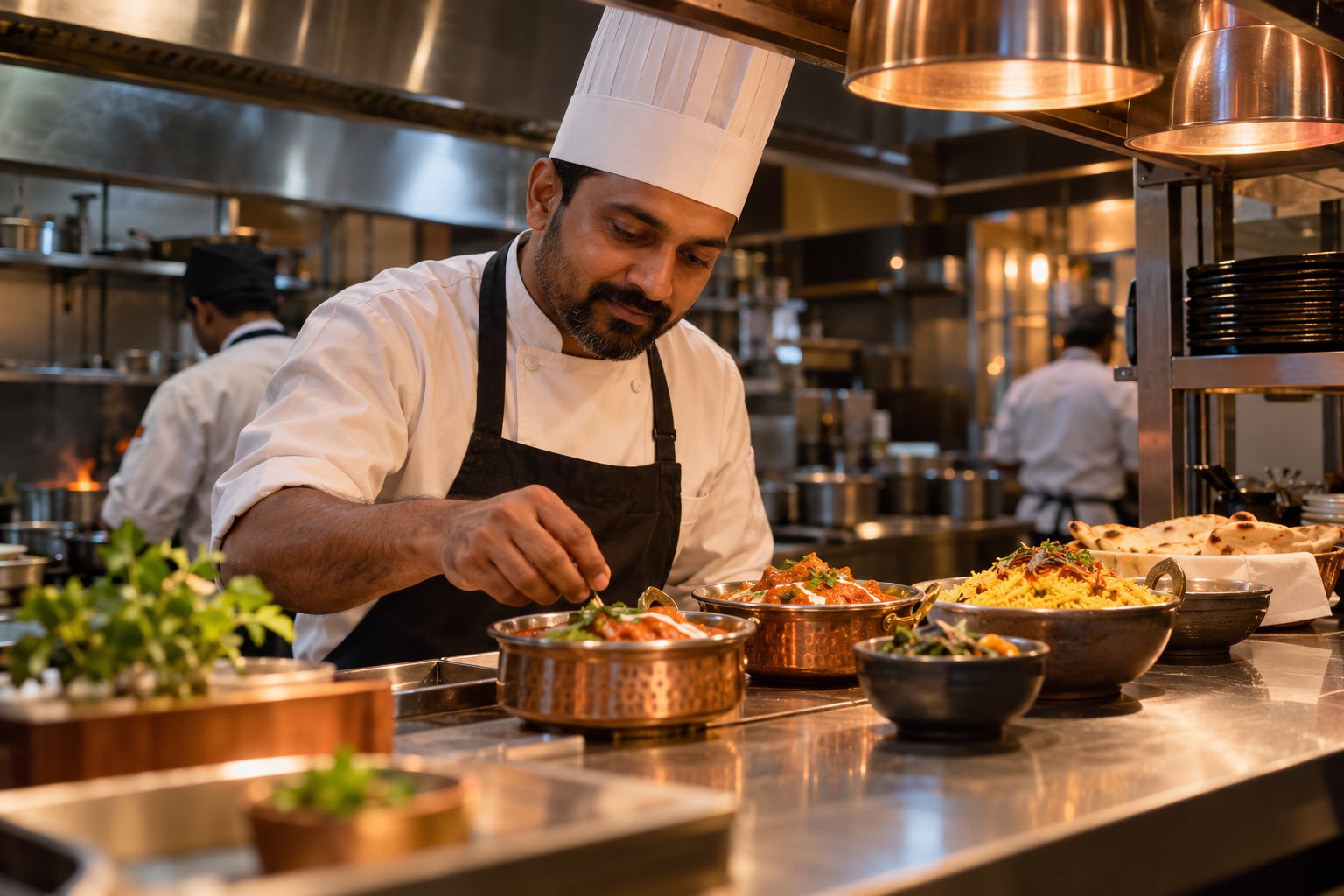
Illustrated restaurant team preparing food at the kitchen pass
GROW WITH A CLEAR SCOPE

Your restaurant.
Your next layer.

Explore inventory, loyalty, connected terminals, messaging and other extensions when your operation needs them.

Modules have different setup requirements and delivery scopes. Choose against a demonstrated workflow and a written plan.

Explore modules & their scope
ANSWERS YOUR TEAM CAN FIND

Help, before
the next rush.

Step-by-step guides, searchable answers and screenshots for the everyday work: first setup, menu changes, ordering, billing and troubleshooting.

Open the help centre
MENUJI HELP CENTRE

What would you like to do?

Set up your first service ↗Add a dish to your menu ↗Review your billing settings ↗Troubleshoot an issue ↗Guides reflect documented product versions. Confirm availability in your workspace.
SIMPLE STARTING PRICES

Know the price.
Check the fit.

India: ₹999/month or ₹9,999/year.
International: US$15/month or US$150/year.
Confirm taxes, modules and commercial terms before purchase.

Compare billing options
A FEW GOOD QUESTIONS

Start with
the details.

All questions ↗
What is Menuji?

Menuji is browser-based restaurant software connecting menus, staff orders, kitchen preparation, dining-room workflows, supported billing and operational records. Selected addons extend it further. It is operated by Deburise Solutions in Bangalore.

How much does Menuji cost?

Advertised plans are ₹999 monthly or ₹9,999 annually in India, and US$15 monthly or US$150 annually internationally. Confirm checkout price, applicable taxes, enabled modules, limits and terms before purchase.

Is there a trial?

New restaurant workspaces have a 30-day starting trial configured. Check current signup conditions and test the workflows you need before choosing a paid plan.

Are all seventeen addons complete and included?

No blanket completion or inclusion claim is made. Availability depends on plan, enabled configuration and deployed version. Addons have defined scopes and remaining work; request written confirmation for essential requirements.

Does it work on phones and tablets?

Menuji needs a suitable web browser and internet access. Test your actual devices and screens. Offline operation is not established.

MAKE THE NEXT SERVICE YOUR STARTING POINT

Bring your menu.
Walk through a real order.

Explore the workflow, check the details and choose the setup that fits your restaurant.

Discuss your restaurant Read the setup guides

Enlarged Menuji product screenshot