
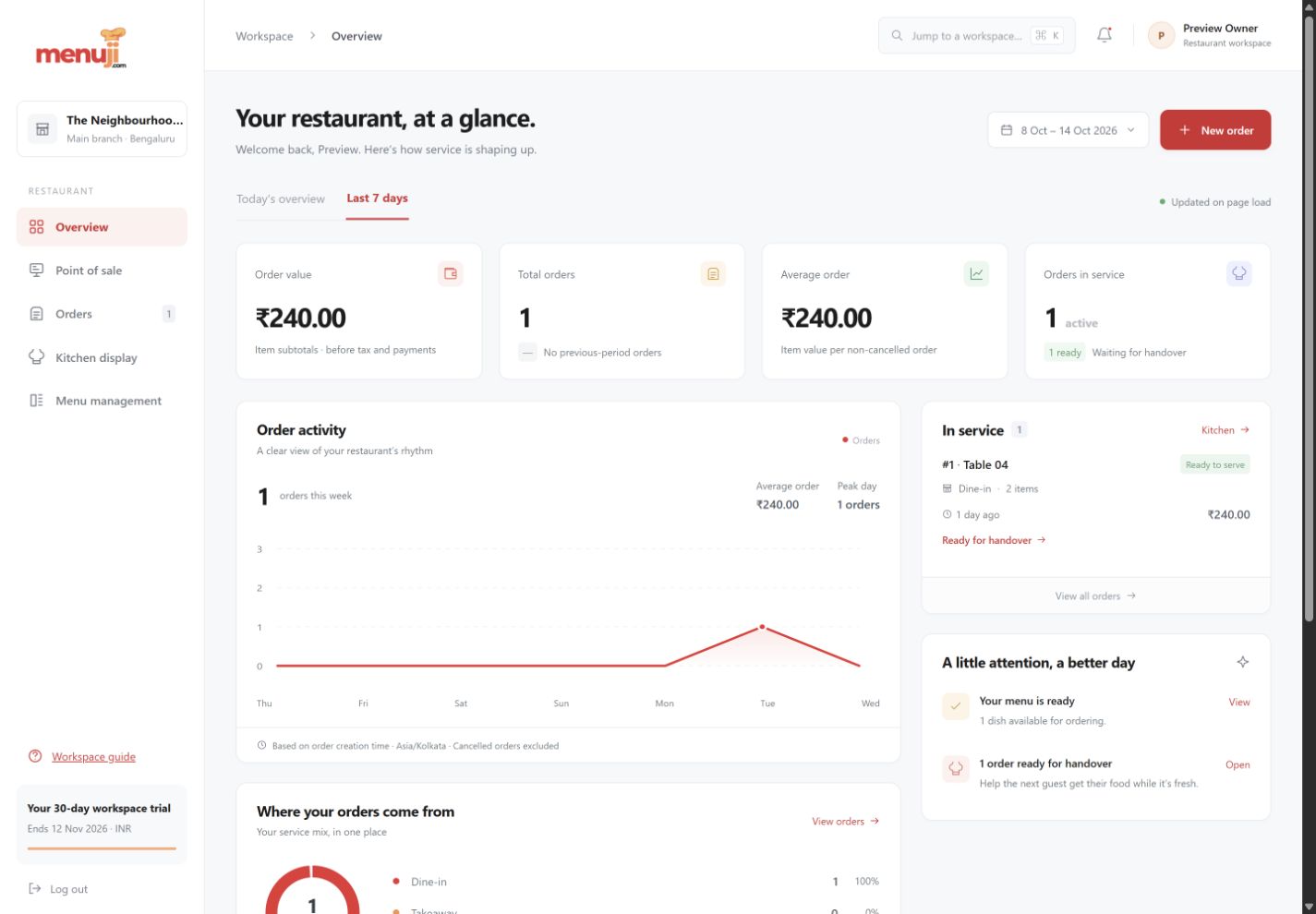
Start the day with a clearer picture.
See the activity that matters to the next service decision, without building a report from scattered screens.

Today or the last seven days
Choose a useful operating period. Restaurant timezones determine where each day starts and ends.
Understand your service mix
Review dine-in, takeaway and delivery order activity, along with popular items and average item value.
Useful links, close at hand
Jump from the overview to order entry, the kitchen, menu availability or order history.
See the working view.
Three simple steps.
- 01
Choose today or the last seven days.
- 02
Review the order count, service mix and popular dishes.
- 03
Open the relevant workspace to act on what you see.
Current release.
Dashboard amounts are order item subtotals, not collected revenue or profit. Tax accounting, payment reconciliation and inventory reports are planned.
Feature questions.
Are dashboard amounts collected revenue?
No. They are item subtotals before tax and payment tracking. They should not be treated as revenue or profit.
Which reporting periods are available?
Today and the last seven days, using the restaurant’s configured timezone.
Your next service.
A clearer starting point.
Try the current Menuji workspace for 30 days. No card required to register.